Fleets
What are fleets?
Fleet states
Mission types
How to send a fleet
Speed and fuel
Resource transport
Hangar system
Player pirate fleets
Attacks on orbits and planets
Planetary conquests
Joint combats
Collection
Archaeological vestiges
Expeditions
Weekly operations
Necronexus
Destroy structures
Saved routes
Wormhole travel
Tips for beginners
Advanced tips
What are fleets?
Fleets are groups of spaceships that allow you to perform all kinds of actions in the 5Dim universe.
With your fleets you can:
Each fleet can have multiple chained destinations (waypoints), allowing you to plan complex transport or attack routes.
With your fleets you can:
- Transport resources between your planets or to allies
- Attack other players or pirates
- Colonize new planets
- Conquer enemy planets
- Mine asteroids to obtain extra resources
- Orbit and defend your positions
Each fleet can have multiple chained destinations (waypoints), allowing you to plan complex transport or attack routes.
Fleet states
Your fleets can be in four different states:
In flight: The fleet is traveling to its destination. You can see the remaining time and order it to return if your plans change.
In orbit: The fleet is stationed at coordinates — over a planet, a space structure, or an empty position in a system. From here it can defend the position, prepare for new missions, or send part of its ships to another destination. Fleets in orbit can store an unlimited amount of resources.
Mining: The fleet is mining an asteroid or extracting resources from a planetoid. Resources accumulate without capacity limit until you decide to collect them, usually by sending another fleet on a Transport mission. If you already have a fleet mining at the same destination, both will automatically merge.
In combat: The fleet is actively engaged in battle. It is shown in the Combats section of the fleet panel and also appears in the in-flight fleet list with a special icon. During combat, ships exchange fire and casualties may occur on both sides. Once the battle is resolved, if the attacking fleet survives it continues its mission (looting, conquering, etc.); if defeated, the surviving ships automatically return to their home planet.
In flight: The fleet is traveling to its destination. You can see the remaining time and order it to return if your plans change.
In orbit: The fleet is stationed at coordinates — over a planet, a space structure, or an empty position in a system. From here it can defend the position, prepare for new missions, or send part of its ships to another destination. Fleets in orbit can store an unlimited amount of resources.
Mining: The fleet is mining an asteroid or extracting resources from a planetoid. Resources accumulate without capacity limit until you decide to collect them, usually by sending another fleet on a Transport mission. If you already have a fleet mining at the same destination, both will automatically merge.
In combat: The fleet is actively engaged in battle. It is shown in the Combats section of the fleet panel and also appears in the in-flight fleet list with a special icon. During combat, ships exchange fire and casualties may occur on both sides. Once the battle is resolved, if the attacking fleet survives it continues its mission (looting, conquering, etc.); if defeated, the surviving ships automatically return to their home planet.
Mission types
Each destination of your fleet can have a different mission:
Important: The last destination of a fleet must always be Transfer, Orbit, or Mine. It cannot end in Attack or Conquer.
| Mission | Description |
|---|---|
| Transport | Exchange resources with the destination. You can leave and/or collect resources as you configure. |
| Transfer | Deliver all ships and resources to the destination. The fleet disappears and ships go to the destination planet or fleet. |
| Orbit | The fleet stays stationed at those coordinates. Useful for defending positions or waiting. |
| Mine | Send the fleet to collect resources from an asteroid. You need ships with mining modules. |
| Colonize | Found a new colony on an uninhabited planet. Requires available empire points. |
| Attack | Start a battle against the target. If you win, you can loot resources. |
| Conquer | Attempt to take control of an enemy planet. If you win the battle, the planet becomes yours. |
| Destroy | Destroy space structures like Dyson Spheres, Motherships, or artificial wormholes. |
| Explore | Explore archaeological vestiges to obtain special rewards. |
| Expedition | Conduct expeditions to special locations with the possibility of finding resources or events. |
| Operation | Participate in special operations. |
| Necronexus | Attack Necronexus structures to obtain unique rewards and help defend the universe. |
| Pass through | Intercrucerote waypoint. The fleet performs no action, it simply passes through those coordinates before continuing to the next destination. |
Important: The last destination of a fleet must always be Transfer, Orbit, or Mine. It cannot end in Attack or Conquer.
How to send a fleet
To send a fleet, follow these steps:
Tip: You can also send fleets from the astrometry map by clicking on a planet and in the tree menu click the airplane icon, or press the icon to copy the coordinates.
- Select ships: Choose which ships you want to include in the fleet. You can see the attack, defense, and cargo capacity of each design.
- Configure hangars: Small ships can travel inside the hangars of larger ships. This saves fuel.
- Add destinations: Enter the coordinates (system and orbit) for each destination. You can add multiple destinations to create a route.
- Choose the mission: For each destination, select what action the fleet will perform upon arrival.
- Configure cargo: If you're transporting resources, indicate how much to leave or pick up at each destination.
- Adjust speed: You can reduce the speed percentage to save fuel.
- Send: Review the summary and press send. Your fleet will depart imcrucerotely!
Tip: You can also send fleets from the astrometry map by clicking on a planet and in the tree menu click the airplane icon, or press the icon to copy the coordinates.
Speed and fuel
Your fleet's speed depends on the slowest ship in the group. If you mix fast ships with slow ones, all will travel at the speed of the slowest.
Speed types:
Fuel:
Speed types:
- Hyper speed: The standard interstellar travel speed. All ships with a hyper engine can use this speed.
- Impulse speed: The speed of ships within a combat. Determines how they move during combat rounds. Can be 0 (the ship doesn't move in combat).
- Factorial speed: A special much faster speed, available if departing from a Dyson Sphere, a Mothership (with 48h cooldown), or a wormhole, provided your ships have the appropriate module.
Fuel:
- Each trip consumes fuel based on distance and speed. Consumption also depends on each ship's engine and weight.
- Reducing the speed percentage decreases fuel consumption significantly.
- If you don't have enough fuel, the fleet cannot depart. If you send a fleet to orbit, remember it must carry fuel if you want it to move again.
- Allied fleets can travel faster between planets of the same owner if your alliance has certain research.
- Wormhole travel does not consume fuel.
Resource transport
Fleets can transport up to 11 types of resources: Robots, Mineral, Crystal, Gas, Plastic, Ceramic, Liquid, Microchips, Fuel, Antimatter, and Nanofiber.
Cargo capacity:
Priority system:
You can configure loading priorities so the fleet automatically collects resources according to your preferences.
Priorities are also used to distribute debris after battles.
Cargo capacity:
- Each ship has a cargo capacity determined by its design.
- The total fleet points is the sum of all ships.
- You cannot load more resources than fit in your ships.
Priority system:
You can configure loading priorities so the fleet automatically collects resources according to your preferences.
- Priority 0 means that resource is ignored.
- Lower numbers (1, 2, 3...) are loaded first.
- Resources with the same priority are distributed equally.
Priorities are also used to distribute debris after battles.
Hangar system
Larger ships can transport smaller ships in their hangars.
Advantages of using hangars:
Important! Ships with 0 or negative defense are functional but are automatically destroyed upon entering combat.
Advantages of using hangars:
- Ships in hangars don't consume fuel during the trip.
- If combat happens outside a system, fighters that don't fit in hangars after the battle are lost and become debris.
Important! Ships with 0 or negative defense are functional but are automatically destroyed upon entering combat.
Player pirate fleets
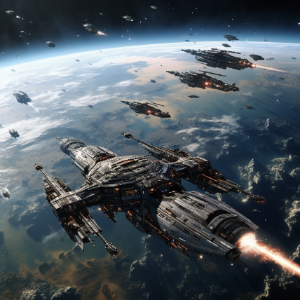
- Available quantity: The Empire Administration research determines how many pirate fleets you can control: 1 every 5 levels, starting with one.
- Observation: Only one pirate fleet provides area vision. The observation range depends on your research level.
- Hidden identity: Your pirate fleets appear as normal pirates to other players. Not even in combat can they discover who you really are.
- Alliance loyalty: Although disguised, your pirate fleets will never attack members of your alliance in combat.
- Limited information: In combat, each player only sees the exact values of their own ships.
Attacks on orbits and planets
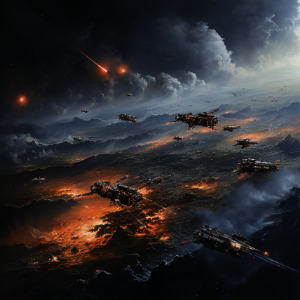
- Requirements to win: You need ships with attack, impulse speed, and attitude that is not retreat or minimize damage.
- Target core: Every stellar object enters combat with a core (showing the object's own image). To conquer it, destroy it, or steal its resources you must destroy that core and end the combat with surviving ships.
- Linked combat: When attacking a fleet in orbit belonging to a planet owner, the planetary fleet enters combat automatically. The same happens in reverse.
- Allied support: Allied fleets in orbit automatically join the combat.
- Dynamic reinforcements: If a fleet enters or leaves a planet under attack, it joins the ongoing combat.
- No mutual support: Fleets harvesting and in orbit do not help each other if one is attacked.
- Orphan cargo: Resources in orbit that no one can transport are lost, or fall to the planet if one is involved.
- Visible fleets: An enemy fleet that has attacking you as any of its destinations will always be visible on your fleet screen, allowing you to prepare your defense.
- Shelter resources: When attacking a planet, resources stored in the planetary shelter cannot be stolen. The defender's cargo capacity is the planet's plus the fleet's.
Planetary conquests
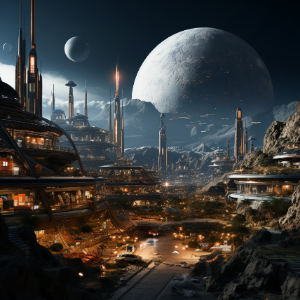
- Temporary protection: Planets owned for more than 15 days cannot be conquered.
- Victory: You conquer a planet when you destroy its core (reduce it to 0 structure) and end the combat alive.
- Automatic defeat: A combat counts as defeat if you only have ships in retreat mode.
- Always conquerable: Ruins and Enclaves can be conquered regardless of time.
- Enclaves: Special planets with excellent mines that grant +20% victory points.
- Ruins: Conquerable pirate planets, but they usually receive pirate visits.
- Minimum duration: Conquest combats last at least 36 hours.
- Post-conquest protection: A conquered planet cannot be destroyed until 5 days later.
Joint combats
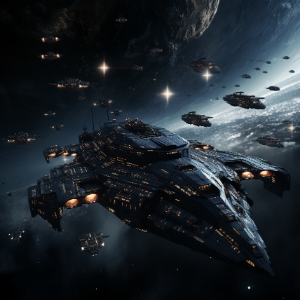
- Join combats: While a combat is in progress, you can join by attacking any participating fleet.
- Sides by alliance: The side of each fleet is automatically determined by player alliances.
- Allies together: Allied players fight on the same side; non-allies face each other.
- Debris distribution: Debris is distributed among allies, first covering losses and then equally.
- Excess cargo: Cargo that doesn't fit in holds is lost, or falls to the planet if one is involved.
Collection
- Level-based system: Asteroid collection works with independent levels.
- Add modules to asteroids: You can add modules with a collection fleet (you need the resources in the fleet).
- Multi-level access: A level 3 asteroid allows using level 1, 2, and 3 collectors simultaneously.
- Cumulative percentage: Each collection module contributes a fixed percentage that adds up with more modules and ships.
- Research: Increases maximum extraction and the number of available collection fleets.
- Independent levels: Exceeding 100% in one level does not affect other levels.
- Your current capacity: You have — collection fleets available.
- Only active fleets count: You can disable a fleet to free a slot. If a new collector arrives without space, it stays inactive until you enable it.
- Shared mining: Multiple players can mine the same asteroid simultaneously without affecting each other's production.
- Resource collection: Mined resources accumulate without limit in the fleet. To collect them, send another fleet on a Transport mission to the asteroid.
Archaeological vestiges
- What are they? Vestiges are archaeological remains scattered across planets in the universe. They contain relics from ancient civilizations with valuable rewards.
- Once per player: Each vestige can only be explored once per player. If another player already explored it, you can still claim your reward.
- Reward types: When exploring a vestige you randomly receive one of these prizes:
- Components (60%): Special exploration research pieces.
- Boosters (30%): Temporary upgrades for your account.
- Novas (10%): Premium currency (between 5 and 15 novas).
- How to explore: Send a fleet with an Explore mission to the planet containing the vestige. No special ships or additional modules are needed, just reach the destination.
- Location: Vestiges are marked on the astrometry map. Use fleets with vision to discover new vestiges in unexplored sectors.
Expeditions
- What are they? Expeditions are special missions that offer varied rewards in exchange for meeting certain resource requirements.
- Daily rotation: Every day at 00:10, new expeditions are generated with random requirements and rewards.
- Requirements: Each expedition has resource requirements that you must carry in the fleet. Better requirements mean better potential rewards.
- Random events: Upon completing the expedition, a random event triggers from the possible outcomes:
- Components: Special pieces to improve your ships.
- Boosters: Temporary upgrades for your account or empire.
- Novas: Premium currency.
- Resources: Large amounts of various resources.
- How to participate: Send a fleet with the required resources and an Expedition mission to the indicated destination. The requirement resources will be consumed automatically.
- Tip: Check available expeditions daily. Some expeditions offer rewards far exceeding the requirement costs.
Weekly operations
- What are they? Operations are weekly combat challenges generated automatically each week. They offer progressive rewards for completing combat milestones.
- Weekly cycle: Each week a new operation is created with a defender fleet whose strength is based on the average of the top 5% active players, adjusted by a multiplier.
- Mechanic: When you send your fleet with an Operation mission to the destination, you will receive an attack from the operation's assigned fleet. A normal combat begins.
- 10 milestones: Each operation has 10 milestones with progressive rewards. As you advance through milestones, rewards improve (components, boosters, novas, resources).
- Personal progression: Operations are designed to adapt to each player's level. You don't need to be the strongest to participate and earn rewards.
- Notifications: You will receive a notification when a new weekly operation is activated. It is also announced on the official Discord.
Necronexus
- What are they? Necronexus are mysterious alien structures located in the central sector (0,0) of the universe. They are weekly PvE combat challenges with rewards.
- Weekly limit: You can complete each Necronexus once per week. The counter resets every week.
- Difficulty by orbit: Necronexus difficulty depends on its orbital position:
- Orbits 1-2: Low difficulty — only enemy fighters and corvettes.
- Orbits 3-4: Medium difficulty — includes enemy cruisers.
- Orbits 5-6: High difficulty — includes enemy battleships.
- Orbits 7-9: Maximum difficulty — includes enemy stations.
- Adaptive difficulty: Enemy defense adjusts based on your progress as a player, making the challenge accessible yet rewarding.
- No debris: Necronexus combats do not generate debris. Rewards are obtained directly upon winning.
- How to participate: Send a fleet with a Necronexus mission to the desired Necronexus planet in the central sector.
Destroy structures

- Special mission: The destruction mission allows eliminating space structures created by players.
- Valid targets: Dyson Spheres, Motherships, artificial wormholes, and any other built structure.
- Prior combat: Upon arriving with a Destroy mission, a normal combat begins.
- Victory result: If you destroy the structure's core and survive, the structure is completely destroyed in addition to obtaining the usual loot.
Saved routes
You can save frequent routes so you don't have to configure them each time.
How do they work?
Types of routes:
Tip: Create routes for your regular resource transports between colonies.
How do they work?
- Configure a fleet with the destinations and missions you want.
- Click "Save Route" and give it a descriptive name.
- Next time, simply select the saved route and the destinations will be loaded automatically.
Types of routes:
- Local routes: Only appear when you're on the planet where you created them.
- Global routes: Available from any planet.
- Routes from other planets: Stay hidden when you open the selector and can be loaded with the middle button only when you need them.
Tip: Create routes for your regular resource transports between colonies.
Wormhole travel
Wormholes allow instant travel across the universe.
Types of wormholes:
How to use a wormhole?
Wormhole trips are extremely fast and do not consume fuel.
Types of wormholes:
- Natural wormholes: Exist in the universe from the beginning. Any player can use them to travel to other natural wormholes.
- Artificial wormholes: Created by players. You can only use them if they belong to your alliance.
How to use a wormhole?
- Have a fleet in orbit over the wormhole.
- Click on "Wormhole Travel".
- Select the destination wormhole from the list of available destinations.
- Your fleet will travel at a fixed speed regardless of its base speed.
Wormhole trips are extremely fast and do not consume fuel.
Tips for beginners
First steps
- Start by transporting resources between your own planets to get familiar with the fleet system.
- Set up saved routes for your regular transports and save time.
- Practice with simple shipments before adding multiple chained destinations.
- Read the tooltips for each mission when configuring a destination: they contain detailed information.
Basic defense
- The best defense is not being profitable: spend your resources before going offline.
- Build a good planetary shelter to protect resources you can't spend.
- Allied fleets in orbit automatically join defensive combats. Find allies.
- Always keep reserve fuel in your orbiting fleets so you can move them if needed.
Exploration
- Send fleets with vision enabled to discover new map sectors.
- Pirate fleets let you explore without revealing your identity.
- Nearby asteroids are an excellent source of extra resources early on.
- Explore archaeological vestiges to get free components, boosters, and novas.
Alliances and community
- Join an alliance as soon as possible: it provides protection, trade, and companionship.
- Allied fleets share combat information.
- Allied fleets enter combat if another fleet in the same orbit or the planet is attacked, provided it is an ally.
- Use the combat simulator to test configurations before attacking.
Advanced tips
Tactical optimization
- Fuel: Reduce speed to the minimum necessary to save fuel massively. Use hangars for small ships to reduce their consumption to zero.
- Factorial speed: From Dyson Spheres, Motherships, or wormholes you can travel at factorial speed to cover large distances quickly. Mothership jumps have a 48h cooldown.
- Chained destinations: Combine missions in a single fleet (transport → attack → orbit) to maximize the efficiency of each dispatch.
- Interception: If your fleet targets an enemy fleet in flight and it changes course, your fleet will automatically recalculate interception. If it can't catch it, it returns.
Advanced combat
- 10-minute window: At the start of a combat there is a ~10 min period where ships haven't started fighting. Use it to send allied reinforcements.
- Behaviors: Configure your fleet behaviors (retreat, flanking, escort, max damage) from the orbit fleet screen.
- Combat cargo priorities: After winning a combat, debris is distributed by damage dealt and configured cargo priorities. Set them up well before attacking.
Territorial strategy
- Orbital control: Keep allied fleets in orbit at key positions. They automatically join defense.
- Smart conquests: Planets owned for more than 15 days are immune to conquest. Enclaves should always be your primary target.
- Pirate fleets: With 1 every 5 research levels, they are ideal for espionage and anonymous attacks. Only one provides vision.
- Strategic destruction: Destroying enemy Dyson Spheres or Motherships eliminates their factorial travel capability and weakens their logistics.
War economy
- Diversified mining: Deploy mining fleets to multiple asteroids for income independent of your planets.
- Daily expeditions: Check expeditions every day. Some offer rewards far exceeding requirement costs.
- Weekly operations: Complete all 10 milestones of the weekly operation to maximize your PvE combat rewards.
- Weekly Necronexus: Necronexus in high orbits (7-9) offer the best rewards. Prepare a strong fleet for them.
Join thousands of commanders and dominate the 5Dim universe.
Play for free